

Forum Replies Created
-
AuthorPosts
-
Hugo
KeymasterHi @fayad
I made it work during the night.
Please find the scn and python file below:<Node name="root" dt="0.02" showBoundingTree="0" gravity="0 0 0"> <!-- ================================== SETUP ================================== --> <!-- Collision Dependencies --> <VisualStyle displayFlags="" /> <CollisionPipeline verbose="0" /> <BruteForceDetection name="N2" /> <CollisionResponse response="default" /> <MinProximityIntersection name="Proximity" alarmDistance="0.08" contactDistance="0.05" useSurfaceNormals="false"/> <CollisionGroup /> <!-- Collision Dependencies --> <!-- Omni Phantom Plugin & Settings --> <RequiredPlugin name="Geomagic plugin" pluginName="Geomagic" /> <LCPConstraintSolver tolerance="0.001" maxIt="1000"/> <GeomagicDriver name="GeomagicDevice" deviceName="Default Device" scale="1" drawDeviceFrame="1" positionBase="0 0 0" orientationBase="0 0.707 0 -0.707" /> <!-- Omni Phantom Plugin & Settings --> <!-- Carving Plugin & Settings --> <RequiredPlugin name="Carving" pluginName="SofaCarving" /> <CarvingManager active="true"/> <!-- Carving Plugin & Settings --> <PythonScriptController filename="scissors.py" classname="Scissors"/> <!-- ================================== SETUP ================================== --> <!-- ================================== OMNI ================================== --> <Node name="Omni"> <MechanicalObject template="Rigid3d" name="DOFs" position="@GeomagicDevice.positionDevice"/> <MechanicalStateController template="Rigid3d" listening="true" mainDirection="-1.0 0.0 0.0" handleEventTriggersUpdate="true"/> <Node name="VisuAvatar1" activated="false" > <OglModel name="Visual" fileMesh="scissor_very_low_base_origin.obj" color="gray"/> <RigidMapping input="@.." output="@Visual" index="0"/> </Node> <Node name="VisuAvatar2" activated="false" > <OglModel name="Visual" fileMesh="scissor_very_low_connector_origin.obj" color="gray"/> <RigidMapping input="@.." output="@Visual" index="1"/> </Node> <Node name="VisuAvatar3" activated="false" > <OglModel name="Visual" fileMesh="scissor_very_low_left_tip_origin.obj" color="gray"/> <RigidMapping input="@.." output="@Visual" index="2"/> </Node> <Node name="VisuAvatar4" activated="false" > <OglModel name="Visual" fileMesh="scissor_very_low_right_tip_origin.obj" color="gray"/> <RigidMapping input="@.." output="@Visual" index="3"/> </Node> <Node name="RefModel1" > <MeshObjLoader filename="scissor_very_low_base_origin.obj" name="loader"/> <Mesh src="@loader" name="InstrumentCollisionModel"/> <MechanicalObject src="@loader" name="instrumentCollisionState" scale="0.2" /> <RigidMapping /> </Node> <Node name="RefModel2" > <MeshObjLoader filename="scissor_very_low_connector_origin.obj" name="loader"/> <Mesh src="@loader" name="InstrumentCollisionModel"/> <MechanicalObject src="@loader" name="instrumentCollisionState" scale="0.2" /> <RigidMapping /> </Node> <Node name="RefModel3" > <MeshObjLoader filename="scissor_very_low_left_tip_origin.obj" name="loader"/> <Mesh src="@loader" name="InstrumentCollisionModel"/> <MechanicalObject src="@loader" name="instrumentCollisionState" scale="0.2" /> <RigidMapping /> </Node> <!-- <Node name="RefModel4" > <MeshObjLoader filename="scissor_very_low_right_tip_origin.obj" name="loader"/> <Mesh src="@loader" name="InstrumentCollisionModel"/> <MechanicalObject src="@loader" name="instrumentCollisionState" scale="0.2" /> <RigidMapping /> </Node> --> </Node> <Node name="ScissorPart"> <MechanicalObject template="Rigid3d" name="DOFs" position="@GeomagicDevice.positionDevice" showObject="1" showObjectScale="02"/> <MechanicalStateController template="Rigid3d" listening="true" mainDirection="-1.0 0.0 0.0" handleEventTriggersUpdate="true"/> <Node name="RigidScissor" > <MeshObjLoader filename="scissor_very_low_right_tip_origin.obj" name="loader"/> <Mesh src="@loader" name="InstrumentCollisionModel"/> <MechanicalObject template="Rigid3d" src="@loader" name="rigidInstrumentCollisionState" scale="0.2" /> <RigidRigidMapping /> <Node name="RefModel4" > <MechanicalObject name="instrumentCollisionState" /> <IdentityMapping /> </Node> </Node> </Node> <!-- ================================== OMNI ================================== --> <!-- ================================== SCISSORS MODELS ================================== --> <Node name="left_tip" > <!-- Solvers & Physics --> <EulerImplicitSolver name="ODE solver" rayleighStiffness="0.05" rayleighMass="1.0" /> <CGLinearSolver name="linear solver" iterations="25" tolerance="1e-10" threshold="10e-10" /> <MechanicalObject name="instrumentState" position="@GeomagicDevice.positionDevice" rest_position="0 0 0 0 0 0 1" template="Rigid3d" /> <UniformMass name="mass" totalmass="0.005" /> <LCPForceFeedback activate="true" forceCoef="0.1"/> <!-- ADDED : Compute a force-feedback for the device --> <UncoupledConstraintCorrection/> <!-- Solvers & Physics --> <!-- Visual Model --> <Node name="VisualModel" > <OglModel name="InstrumentVisualModel" fileMesh="scissor_very_low_left_tip_origin.obj" scale="0.2" /> <RigidMapping name="MM->VM mapping" input="@../instrumentState" output="@InstrumentVisualModel" listening="true"/> </Node> <!-- Visual Model --> <!-- Collision Model --> <Node name="CollisionModel" > <MeshObjLoader filename="scissor_very_low_left_tip_origin.obj" name="loader"/> <Mesh src="@loader" name="InstrumentCollisionModel" /> <MechanicalObject src="@loader" name="instrumentCollisionState" scale="0.2" /> <Line name="instrument" group="1" contactStiffness="20" /> <Point name="instrument" group="1" contactStiffness="20" /> <Triangle name="instrument" group="1" contactStiffness="20" /> <RigidMapping name="MM->CM mapping" input="@../instrumentState" output="@instrumentCollisionState" listening="true"/> </Node> <!-- Collision Model --> <!-- Force feedback mapper to omni --> <VectorSpringForceField template="Vec3d" object1="@Omni/RefModel3/instrumentCollisionState" object2="@left_tip/CollisionModel/instrumentCollisionState" stiffness="10" viscosity="0" /> <!-- Force feedback mapper to omni --> </Node> <Node name="base" > <!-- Solvers & Physics --> <EulerImplicitSolver name="ODE solver" rayleighStiffness="0.05" rayleighMass="1.0" /> <CGLinearSolver name="linear solver" iterations="25" tolerance="1e-10" threshold="10e-10" /> <MechanicalObject name="instrumentState" position="@GeomagicDevice.positionDevice" template="Rigid3d" showObject="1" showObjectScale="0.5"/> <UniformMass name="mass" totalmass="0.005" /> <LCPForceFeedback activate="true" forceCoef="0.1"/> <!-- ADDED : Compute a force-feedback for the device --> <UncoupledConstraintCorrection/> <!-- Solvers & Physics --> <!-- Visual Model --> <Node name="VisualModel" > <OglModel name="InstrumentVisualModel" fileMesh="scissor_very_low_base_origin.obj" color="black" scale="0.2"/> <RigidMapping name="MM->VM mapping" input="@../instrumentState" output="@InstrumentVisualModel" /> </Node> <!-- Visual Model --> <!-- Collision Model --> <Node name="CollisionModel" > <MeshObjLoader filename="scissor_very_low_base_origin.obj" name="loader"/> <Mesh src="@loader" name="InstrumentCollisionModel" /> <MechanicalObject src="@loader" name="instrumentCollisionState" scale="0.2" /> <Line name="instrument" group="1" contactStiffness="20" /> <Point name="instrument" group="1" contactStiffness="20" /> <Triangle name="instrument" group="1" contactStiffness="20" /> <RigidMapping name="MM->CM mapping" input="@../instrumentState" output="@instrumentCollisionState" /> </Node> <!-- Collision Model --> <!-- Force feedback mapper to omni --> <VectorSpringForceField template="Vec3d" object1="@Omni/RefModel1/instrumentCollisionState" object2="@base/CollisionModel/instrumentCollisionState" stiffness="10" viscosity="0" /> <!-- Force feedback mapper to omni --> </Node> <Node name="connector" > <!-- Solvers & Physics --> <EulerImplicitSolver name="ODE solver" rayleighStiffness="0.05" rayleighMass="1.0" /> <CGLinearSolver name="linear solver" iterations="25" tolerance="1e-10" threshold="10e-10" /> <MechanicalObject name="instrumentState" position="@GeomagicDevice.positionDevice" template="Rigid3d" /> <UniformMass name="mass" totalmass="0.005" /> <LCPForceFeedback activate="true" forceCoef="0.1"/> <!-- ADDED : Compute a force-feedback for the device --> <UncoupledConstraintCorrection/> <!-- Solvers & Physics --> <!-- Visual Model --> <Node name="VisualModel" > <OglModel name="InstrumentVisualModel" fileMesh="scissor_very_low_connector_origin.obj" scale="0.2" /> <RigidMapping name="MM->VM mapping" input="@../instrumentState" output="@InstrumentVisualModel" /> </Node> <!-- Visual Model --> <!-- Collision Model --> <Node name="CollisionModel" > <MeshObjLoader filename="scissor_very_low_connector_origin.obj" name="loader"/> <Mesh src="@loader" name="InstrumentCollisionModel" /> <MechanicalObject src="@loader" name="instrumentCollisionState" scale="0.2" /> <Line name="instrument" group="1" contactStiffness="20" /> <Point name="instrument" group="1" contactStiffness="20" /> <Triangle name="instrument" group="1" contactStiffness="20" /> <RigidMapping name="MM->CM mapping" input="@../instrumentState" output="@instrumentCollisionState" /> </Node> <!-- Collision Model --> <!-- Force feedback mapper to omni --> <VectorSpringForceField template="Vec3d" object1="@Omni/RefModel2/instrumentCollisionState" object2="@connector/CollisionModel/instrumentCollisionState" stiffness="10" viscosity="0" /> <!-- Force feedback mapper to omni --> </Node> <Node name="right_tip" > <!-- Solvers & Physics --> <EulerImplicitSolver name="ODE solver" rayleighStiffness="0.05" rayleighMass="1.0" /> <CGLinearSolver name="linear solver" iterations="25" tolerance="1e-10" threshold="10e-10" /> <MechanicalObject name="instrumentState" position="@GeomagicDevice.positionDevice" template="Rigid3d" showObject="1" showObjectScale="0.5" /> <UniformMass name="mass" totalmass="0.005" /> <LCPForceFeedback activate="true" forceCoef="0.1"/> <!-- ADDED : Compute a force-feedback for the device --> <UncoupledConstraintCorrection/> <!-- Solvers & Physics --> <!-- Visual Model --> <Node name="VisualModel" > <OglModel name="InstrumentVisualModel" fileMesh="scissor_very_low_right_tip_origin.obj" scale="0.2" /> <RigidMapping name="MM->VM mapping" input="@../instrumentState" output="@InstrumentVisualModel" /> </Node> <!-- Visual Model --> <!-- Collision Model --> <Node name="CollisionModel" > <MeshObjLoader filename="scissor_very_low_right_tip_origin.obj" name="loader"/> <Mesh src="@loader" name="InstrumentCollisionModel" /> <MechanicalObject src="@loader" name="instrumentCollisionState" scale="0.2" /> <Line name="instrument" group="1" contactStiffness="20" /> <Point name="instrument" group="1" contactStiffness="20" /> <Triangle name="instrument" group="1" contactStiffness="20" /> <RigidMapping name="MM->CM mapping" input="@../instrumentState" output="@instrumentCollisionState" /> </Node> <!-- Collision Model --> <!-- Force feedback mapper to omni --> <VectorSpringForceField template="Vec3d" object1="@ScissorPart/RigidScissor/RefModel4/instrumentCollisionState" object2="@right_tip/CollisionModel/instrumentCollisionState" stiffness="10" viscosity="0" /> <!-- Force feedback mapper to omni --> </Node> <!-- ================================== SCISSORS MODELS ================================== --> </Node>Python script:
import sys
import Sofa
import math
import numpy as np

# The main function that SOFA will run
# The class will map the keyboard keys to the model to be able to move it
class Scissors (Sofa.PythonScriptController):

    def createGraph(self,rootNode):
        return 0

    # The initial function that will run when the class is called
    def initGraph(self, node):
        print '=================== initGraph called (python side) ==================='
        self.rootNode = node
        self.children = node.getChildren()
        self.button = 0
        for node in self.children:
            if node.name == "left_tip":
                self.left_tip = node.getObject('instrumentState')
            if node.name == "right_tip":
                self.right_tip = node.getObject('instrumentState')
                # self.TE = node.getObject('TE')
                nodeCol = node.getChild('CollisionModel')
                self.right_tip_col = nodeCol.getObject('instrumentCollisionState')
            if node.name == "connector":
                self.connector = node.getObject('instrumentState')
            if node.name == "base":
                self.base = node.getObject('instrumentState')

        # self.TE = self.rootNode.getChild('ScissorPart').getChild('RefModel4-Transformed').getObject('TE')
        self.movingScissorPart = self.rootNode.getChild('ScissorPart').getObject('DOFs')
        self.angleX = 0
        self.angleY = 0
        self.angleZ = 0
        return 0

    # This function will get called every time a key is pressed
    def onKeyPressed(self, c):
        if c == '+':
            positionScissor = self.movingScissorPart.findData('position').value
            positionRightTip = self.right_tip.findData('position').value
            if positionScissor!=positionRightTip:
                print "Error ScissorPart is not equal to RightTip"

            self.quaternion_to_euler(positionScissor[0][3],positionScissor[0][4],positionScissor[0][5],positionScissor[0][6])

            self.angleX = self.angleX + 5

            quat = self.euler_to_quaternion()

            positionScissor[0][3] = quat[0]
            positionScissor[0][4] = quat[1]
            positionScissor[0][5] = quat[2]
            positionScissor[0][6] = quat[3]
            self.movingScissorPart.findData('position').value = positionScissor

            positionRightTip[0][3] = quat[0]
            positionRightTip[0][4] = quat[1]
            positionRightTip[0][5] = quat[2]
            positionRightTip[0][6] = quat[3]
            self.right_tip.findData('position').value = positionScissor

        if c == '-':
            positionScissor = self.movingScissorPart.findData('position').value
            positionRightTip = self.right_tip.findData('position').value
            if positionScissor!=positionRightTip:
                print "Error ScissorPart is not equal to RightTip"

            self.quaternion_to_euler(positionScissor[0][3],positionScissor[0][4],positionScissor[0][5],positionScissor[0][6])

            self.angleX = self.angleX - 5

            quat = self.euler_to_quaternion()

            positionScissor[0][3] = quat[0]
            positionScissor[0][4] = quat[1]
            positionScissor[0][5] = quat[2]
            positionScissor[0][6] = quat[3]
            self.movingScissorPart.findData('position').value = positionScissor

            positionRightTip[0][3] = quat[0]
            positionRightTip[0][4] = quat[1]
            positionRightTip[0][5] = quat[2]
            positionRightTip[0][6] = quat[3]
            self.right_tip.findData('position').value = positionRightTip
        return 0

    def euler_to_quaternion(self):
        roll = self.angleX * math.pi /180
        pitch = self.angleY * math.pi /180
        yaw = self.angleZ * math.pi /180
        qx = np.sin(roll/2) * np.cos(pitch/2) * np.cos(yaw/2) - np.cos(roll/2) * np.sin(pitch/2) * np.sin(yaw/2)
        qy = np.cos(roll/2) * np.sin(pitch/2) * np.cos(yaw/2) + np.sin(roll/2) * np.cos(pitch/2) * np.sin(yaw/2)
        qz = np.cos(roll/2) * np.cos(pitch/2) * np.sin(yaw/2) - np.sin(roll/2) * np.sin(pitch/2) * np.cos(yaw/2)
        qw = np.cos(roll/2) * np.cos(pitch/2) * np.cos(yaw/2) + np.sin(roll/2) * np.sin(pitch/2) * np.sin(yaw/2)
        return [qx, qy, qz, qw]

    def quaternion_to_euler(self, x, y, z, w):
        t0 = 2.0 * (w * x + y * z)
        t1 = 1.0 - 2.0 * (x * x + y * y)
        X = math.degrees(math.atan2(t0, t1))

        t2 = 2.0 * (w * y - z * x)
        t2 = 1.0 if t2 > +1.0 else t2
        t2 = -1.0 if t2 < -1.0 else t2
        Y = math.degrees(math.asin(t2))

        t3 = 2.0 * (w * z + x * y)
        t4 = 1.0 - 2.0 * (y * y + z * z)
        Z = math.degrees(math.atan2(t3, t4))

        self.angleX = X
        self.angleY = Y
        self.angleZ = Z
        return 0
Hope this helps.
BestHugo
KeymasterAnother topic had the same issue as you did (
error: 'abi'), just in case.Regarding your new error, could you give us more of the error log please?
You should be able to see at which line in the code the error comes from.Thanks
Hugo
KeymasterNice to hear thanks for sharing your solution Wendy!
Good luck in your next steps, keep us updated!Hugo
KeymasterKeymasterHappy New Year @secretdevil ! I just learned last week about the Iranian new year.
Thanks for your support.Hugo
24 March 2019 at 21:07 in reply to: [SOLVED] Unit of Young Modulus in TetrahedronFEMForceField and SurfacePressureConstraint #13251KeymasterKeymasterHi @warango
Good to hear from you again.
Another member of the community @xutian got the same problem as you. See my reply here online.Let me know if it helps.
BestHugo
KeymasterHi @minhtruong
It sounds like you followed the step by step tutorial.
However, by googling you issue, it appears that it could be related to a mix between 32 and 64 bit version of libraries.Which one is your Win? I assume it is x64, you should therefore use the x64 libs for boost other dependencies.
Best
Hugo
KeymasterHi @xutian
I never faced this issue myself, but apparently it’s an issue related to boost: see post here.
Best
Hugo
KeymasterKeymasterDear @eyequest
Thank you very much for your interest in SOFA and welcome on the forum!
Sorry for the delay of reply but all the community is pretty busy currently.The Modeler is actually deprecated since release v16.12 because it was becoming old and unstable. We have the project to rebuild a new version of a modeler, but as you can guess it takes a lot of time.
You should still be able to run the scn examples of these tutorials from runSofa though.
We stay at your disposal for any issue, question you may have with SOFA.Best wishes,
Hugo
20 March 2019 at 18:46 in reply to: Rotating an object with an angular velocity and conserving collisions #13236KeymasterHi Chris,
I did this from your scene (rotation in x axis here but could be any rotation):
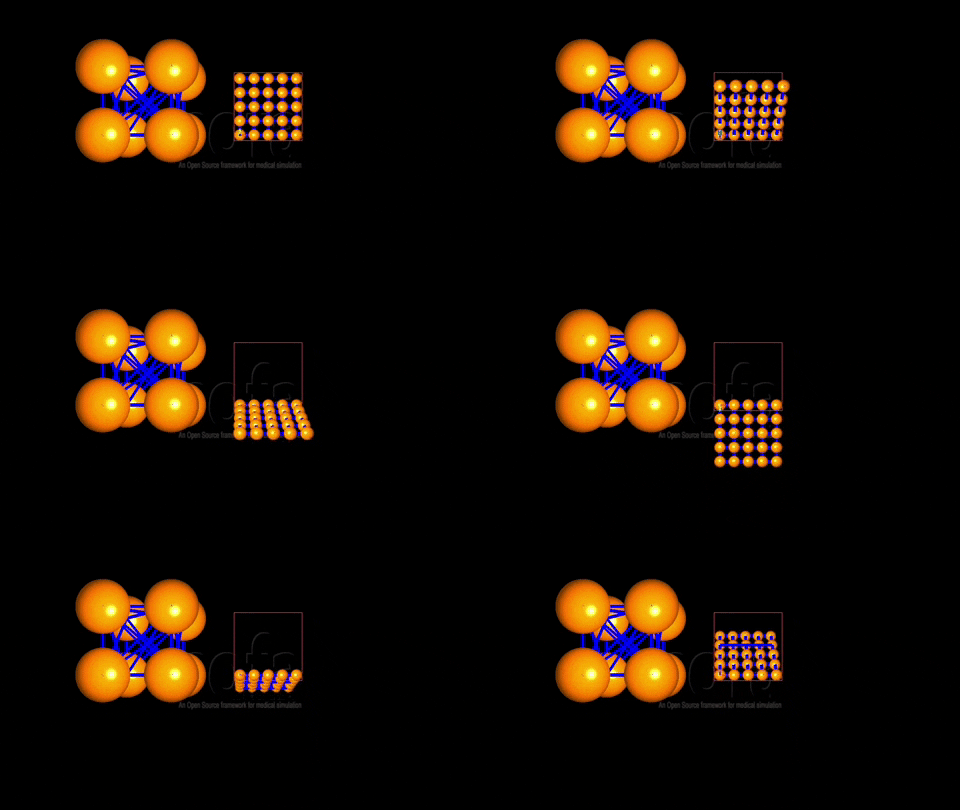
Is this what you want?
BestHugo
KeymasterHi @minhtruong
Have you well installed boost as described in the documentation for Win?
Look at the required dependencies.Hugo
KeymasterHi @xutian
You should first use the latest v18.12 release of SOFA instead of 17.06.
Is your C++ code in a separate plugin?
Does your project have the right dependencies to SOFA?
Could you also share your code (especially the around the line 49) ?Hugo
KeymasterHi @mlin
Did you try to upload us a screen shot?
Do you have a example that I could try rightaway?Hugo
KeymasterHmm thank you for reporting this @outtt
I think need to investigate this. Changes where indeed made in the Geomagic plugin since 17.12.Hugo
19 March 2019 at 19:28 in reply to: Rotating an object with an angular velocity and conserving collisions #13226KeymasterDear @chrissim
Thank you for your question and sorry to reply so late.
We are currently very busy, and we are unfortunately not as responsive as usual on the forum. I will have a look at your issue and get back to you.Cheers,
Hugo
KeymasterDear @outtt
There is no ready-to-use plugin for knot tying at my best knowledge. It has been investigated but nothing has come up yet.
Maybe @eunkyungbae has some update about her work?I will close this topic, but do not hesitate a new topic for any further question!
Best,Hugo
KeymasterHi Fayad
The issue was indeed due to the fact that I was testing the interaction while (the frames controlling the scissor) being in the center of space (0,0,0).
To fix your issue, you need to compute a local rotation (with regards to your current position and not regarding the reference frame).
I have currently not a lot of time to implement it myself.
Let me know about your progresses.Best
Hugo
KeymasterThank you for your question.
Do you have any details about the configuration phase (CMake)?
Was it successful?
Could you detail what comes below the line[1571/1572] Linking CXX shared library lib/libSoftRobots.so?Thanks,
Hugo19 March 2019 at 17:49 in reply to: Save some variable values in QTableView and show in modeler #13222KeymasterHi @rubab
I am sorry but the Modeler is deprecated for a long time (16.12).
We have few expert in UI design on the forum, I am sorry not to be able to assist you more.Best
Hugo
KeymasterHi @rubab
This is a very GUI oriented question.
Again, I am no expert, but a dirty way would be to edit the GUI.ui file and remove this button in the associated code (RealGUI for runSofa). Not sure it’s the cleaner way to do it, I am actually sure it isn’t!Hugo
-
AuthorPosts
